North-South
Web Recon
When we accessing the webapp, this show us the message No flag in this region!. This is a hint that if we access from diferente region we can get the flag!. 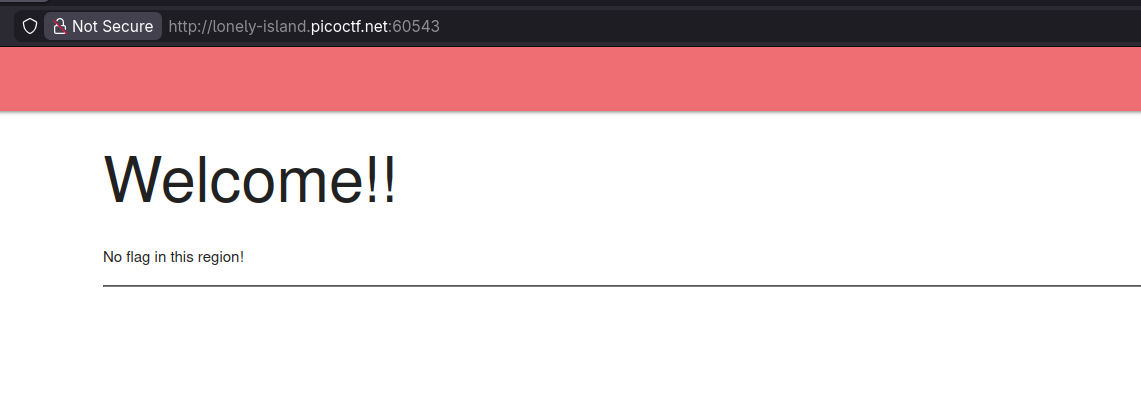
Analyzing nginx.conf
Reviewing the nginx.conf file reveals two applications running on the same server but on different ports. By default all standard traffic is routed to north instance, but if we connect from IS(isceland) we can access to south instance. 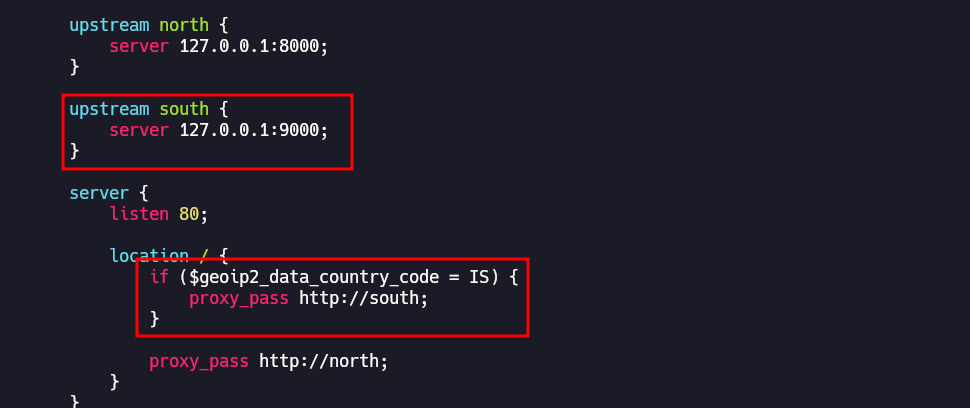
Configuring TOR for Regional Access
To spoof our location, we can use the TOR network to exit specifically from an Icelandic node.
- Edit TOR file configuration
/etc/tor/torrc - Append the follow lines to
torrc.
1
2
ExitNodes {is}
StrictNodes 1
Retrieving the Flag
After restarting the TOR service, we route a curl request through the local TOR SOCKS proxy
1
2
curl --socks5 127.0.0.1:9050 http://lonely-island.picoctf.net:60543/
picoCTF{g30_b453d_r0u71n9_xxxxxxxx}
This post is licensed under CC BY 4.0 by the author.